










Internet piggybacking breaks the bank
Using someone else’s wireless Internet is punishable by law. The crime is called “piggybacking” and is punishable by up to a year in jail.
A Rockford man did just this last March and received a $250 fine and a year of probation.
David M. Kauchak was using a non-profit organization’s Internet connection when a police officer stopped and asked him what he was doing.
The crime is a misdemeanor, but Kauchak’s lawyers negotiated a lesser penalty. The Illinois statute Kauchak violated regards computer tampering. The case was the first like it to be prosecuted in Illinois.
Unsecured wireless networks are not an uncommon occurrence. Wireless Internet, or wi-fi, has become a popular alternative to desktops’ tangle of wires. Eastern followed suit last year and installed its own wireless Internet.
Doug Lawhead estimates that a number of personal Internet connections are not secure.
Lawhead is the Macintosh support specialist for the College of Arts and Humanities and a journalism professor.
“But the number of unsecured (connections) is less than it used to be because people are becoming more aware,” he said.
In an informal survey, The Daily Eastern News found that nearly 40 percent, or 44 waps, of the 110 wireless access points found across Charleston were not password protected.
Any person with a laptop with wireless Internet capability could park outside those houses and apartment buildings, log onto the Internet connections and partake in illegal activity. For example, they could send a threatening letter to the president of the United States and the CIA would show up at the door of the person who owns that connection.
This is the example Lawhead used to explain why not protecting wireless Internet is a security risk. Lawhead manages all the wireless Internet networks for the college.
Unguarded wireless access points aren’t just in Charleston.
“I’ve been in places in cities, sitting in a hotel and flipped open my laptop and seen one to two wireless access points that I could have used when I wasn’t supposed to,” Lawhead said.
But if students aren’t convinced by this example, their wallets should persuade them.
“Why should you pay for your Internet service and then give it away free?” Lawhead asked.
Important information such as social security numbers and credit card information could be stolen as a result of not securing a wireless Internet connection.
Protecting wireless Internet service
Lawhead offered three ways to protect a wireless Internet connection that anyone can do.
The first is to encrypt the connection. When a student first sets up the wireless router, the computer will give the user an option to select encryption mode, which requires the user to create a password.
In order to use that connection, any person trying to access it would need to enter the password, Lawhead said.
The second way is to lock the connection down by the wireless MAC address, also known as a wireless NIC address, on other computers, Lawhead said.
Each wireless card has a 12 character and number identification number – this is the wireless MAC address.
“Instead of using encryption, you tell it (the computer) ‘I want to use the network address method,’ ” Lawhead said.
To do this, the user would enter the wireless MAC address and only computers with the correct number could access the wireless Internet connection.
The third way – a virtual private network (VPN) – requires more technical knowledge to set up. Eastern has one of these networks established for use by faculty and staff.
To explain how it works, Lawhead said to imagine the world as a fishbowl.
“What I can do is create a tunnel through the fishbowl that only I, and the computer I’m talking to, can access,” he said. “This is very secure.”
Another simple way to protect a computer is to password protect the computer itself, Lawhead said. While this won’t stop an unauthorized person from using the Internet illegally, it will help protect the computer, he said.
Open wireless Internet connections
This tampering law, however, does not apply to Eastern’s open access wireless network because it is for public use, said Greg DeYoung, associate director for campus infrastructure.
Because Eastern is a public university funded by taxpayer dollars, anyone can come onto campus and access the wireless Internet, he said.
Other hot spots in town where people can access the Internet without fear of breaking the law include the two coffee shops in Charleston – Jitters & Bliss and Jackson Avenue Coffee Shop.
Steve Cummins, Jitters & Bliss manager, said the shop has provided free wireless Internet for three years. And the shop doesn’t require that people purchase an item from the shop in order to use the Internet.
“It’s there to use,” Cummins said. He added that if the shop is full and someone is not a customer, but using the Internet, they might be asked to leave so someone who has purchased food can have a seat.
Kymber Elsenpeter, a Jackson Avenue Coffee Shop employee, said the shop has a similar policy but noted that most of the time it’s the regulars who use the store’s wireless Internet.
Survey results
This survey was conducted Friday afternoon using a laptop with wireless Internet capability. The reporter drove around Charleston and counted how many wireless access points were found and how many were encrypted or password protected.
Wap = wireless access point
The Square – 13 wireless access points, 11 password protected
10th and Buchanan streets – 9 waps, 5 password protected
13th and Buchanan streets – 6 waps, 4 password protected
Save-a-Lot parking lot – 8 waps, 4 password protected
The Atrium apartment parking lot – 16 waps, 8 password protected
Courtyard on Ninth apartment parking lot – 6 waps, 3 password protected
Panther Heights apartment parking lot – 9 waps, 6 password protected
Campus Edge apartment parking lot – 19 waps, 17 password protected
Reynolds and Meadow Lake drives – 6 waps, 1 password protected
Ashby and Meadow Lake drives – 4 waps, zero password protected
Fox Lane – 4 waps, 1 password protected
Jitters & Bliss coffee shop – 8 waps, 6 password protected
Jackson Avenue Coffee Shop – 2 waps, zero password protected
Total: 110 waps, 66 password protected
Internet piggybacking breaks the bank
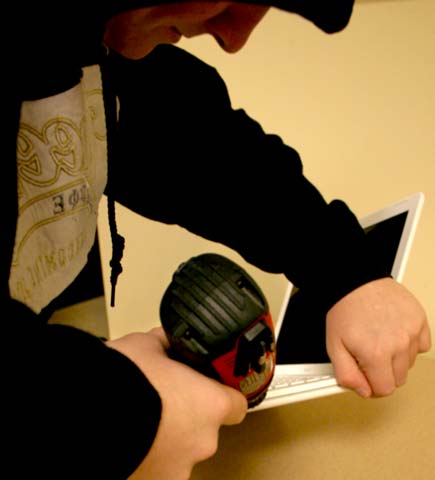
Using someone else’s wireless internet, also called “piggybacking” is a common occurence and is punishable by law. (Photo illustration by John Bailey/The Daily Eastern News)